Workout log app A training log you can read back.
Log exercises with sets, reps, weight and duration. Add movements from a searchable library with 33 demonstrations. Follow a plan and log the day's workout straight from it, then check the entry before it saves.
For lifters who want a clean training history on their phone, with a library of demonstrations, plans they can log from, and no entry saved without a look.
Free to download. Optional Pro subscription. iPhone only.
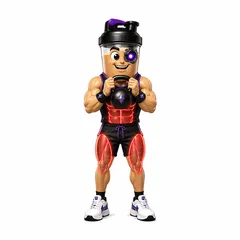
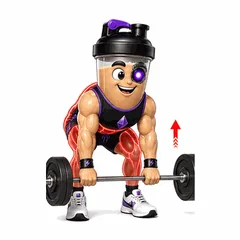
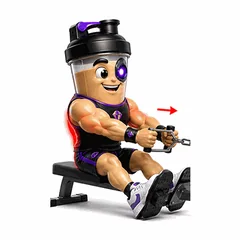
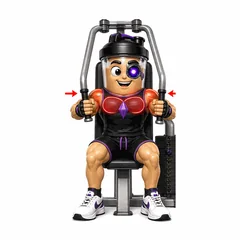
In the app
- Sets, reps, weight, duration
- 33 exercise demonstrations
- Log from your plan day
- MET-based burn range
- Personal records history
A workout log only helps if you keep it and can read it later. GemFit keeps the entry simple: exercise, sets, reps, weight and, where it applies, duration. You can build the entry by hand, pull movements from the exercise library, or on Pro describe the session in text and edit the draft.
Training and food live in the same app, so a session logged on Monday sits next to Monday's meals in the Progress tab, and a plan can hold both the workouts and the meals for the week.
What a workout entry holds
Each exercise in a session records sets, reps, weight and duration. Add an exercise by searching the library by muscle group or equipment, then fill in the sets. If the movement is one you are still learning, the library entry has form cues and a demonstration to check against.
The library holds 33 demonstrations: 27 animated GemFit mascot demonstrations and 6 licensed human video clips. Search by muscle group or equipment, and each entry shows its form cues alongside the demonstration.
- Sets, reps, weight and duration per exercise
- Searchable library filtered by muscle group and equipment
- Form cues on every library entry
Text drafts and logging from a plan
On Pro, you can type the session the way you would tell a friend, for example 'squat 5 sets of 5 at 225, then Romanian deadlift 3 by 8 at 185'. GemFit returns a draft with the exercises, sets, reps and weights filled in. Read it, fix anything it misread, then save. The draft is never saved on its own.
When you follow a plan, the day's workout shows up in Today's Flow on the Home tab. Log it from there, change the sets and weights to what you actually lifted, and save. An exercise you pick from the library can go onto today's plan with its sets still to do, or be logged as finished right away.
- Text description to an editable workout draft on Pro
- The day's planned workout logged from Today's Flow
- Library exercises added to today's plan or logged as done
Calorie burn as a range
GemFit estimates the calorie cost of a session with a MET-based method and shows it as a range rather than a single number. A range is the honest shape of that estimate: the same session costs different people different amounts, and the app does not measure your effort on every set.
Use the range as context for the day rather than as a number to eat back to the calorie. If you import workouts from Apple Health, the import waits for your review before anything touches your log.
Personal records history
GemFit keeps a history of your personal records, so a new best is recorded against the ones before it. That history builds from the sessions you log, which is one more reason to log the weight and reps rather than just the exercise name.
The training deep dive in the Progress tab covers the period you choose, from a single day to all time, so you can look at a training block as a whole instead of scrolling through individual sessions.
Common questions
Can I log a workout by typing a sentence?
Yes, on Pro. Describe the session in text and GemFit returns an editable draft with the exercises, sets, reps and weights. Check it, adjust anything that is off, and then save it.
Does GemFit estimate calories burned?
Yes. The estimate uses a MET-based method and is shown as a range, not a single number, because the true cost of a session varies from person to person.
Can I follow a plan during the workout?
Yes. The day's planned workout appears in Today's Flow on the Home tab. Log it from there and adjust the sets and weights to what you actually did before saving.
Can I bring in workouts from Apple Health?
Yes. GemFit can import workouts, steps, active energy and water from Apple Health, with a review step before anything is added to your log.
Does GemFit track cardio?
You can log any exercise with a duration alongside sets, reps and weight, and workouts recorded in Apple Health can be imported with a review step.
Log one real day, then decide.
Food, training and body measurements in one private log. Coach and drafts are there when you want them, and nothing is saved until you approve it.
Free to download. Optional Pro subscription.


GemFit.aiFood, macro and workout logiPhone · Free download

On a computer? Point your iPhone camera here to open the App Store listing.