GemFit for coaches Build the plan. Your client logs from it.
Turn on coach mode, build a workout, meal or mixed plan, and assign it to a client who accepts your invite. They follow it day by day and log directly from it. Their log stays theirs.
For coaches who want to hand a client a plan they can follow and log from on their phone, without pretending the app is a full coaching platform.
Free to download. Optional Pro subscription. iPhone only.
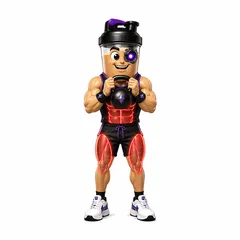
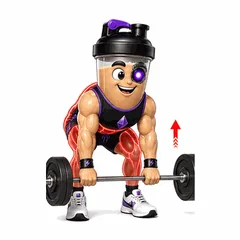
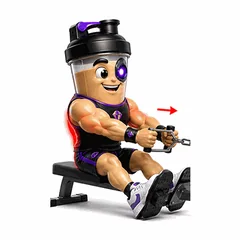
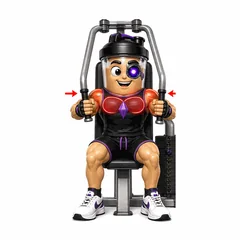

In the app
- Workout, meal and mixed plans
- Assign to invited clients
- Log directly from a plan day
- Affiliate codes
- Direct messages for adults
The weak point in most coaching relationships is the handoff: the plan lives in a spreadsheet, the client logs in another app, and the two never meet. GemFit puts the plan and the client's log in the same app, so a plan day can be logged directly instead of copied.
It is worth being clear about what GemFit is not. It is not a client management platform. There is no shared dashboard and no coach view of a client's log. Clients own their data and share what they choose.
Where coaching handoffs break
A plan written in one place and followed in another decays fast. Sessions get logged loosely or not at all, the meal plan turns into a screenshot, and by the second week the coach is guessing. GemFit's answer is to make the plan the thing the client logs from.
Turn on coach mode from your Profile and build a workout, meal or mixed plan with a day-by-day schedule. Workouts pull from the same exercise library the client sees, with 33 demonstrations and form cues, so 'Romanian deadlift, 3 by 8' means the same movement on both phones.
- Workout, meal and mixed plans with a day-by-day schedule
- Exercise library with demonstrations and form cues
- Clients log meals and workouts directly from a plan day
Drafting plans with AI, deciding yourself
Building a plan by hand is free. On Pro, you can also ask for an AI plan draft and edit it before it goes anywhere. A draft is a starting point for your judgment, not a replacement for it, and nothing is assigned until you assign it.
Your clients can use AI on their side too. A client on Pro can ask Coach questions about their own logs and the plan you assigned, or describe a session in text to get an editable draft. Those tools work from the client's saved entries and never write to their log without approval.
Invites, assignments and what stays private
A client has to accept your invite before a plan can be assigned to them. Once they do, the plan appears in their app and they can follow it day by day. Accepting a plan does not hand you their log: there is no coach view of client entries, and you see what the client chooses to share.
The coach affiliate program gives you a personal code to share with people you bring to GemFit. Sharing and direct messages are available to eligible adults, and are private by default like everything else in the app.
- Plans assigned to clients who accept an invite
- No coach view of a client's log
- Personal affiliate code for each coach
Check-ins by message and shared summary
There is no structured check-in form in GemFit. What works is simpler: the client exports a progress summary from the Progress tab, covering the workouts, average intake and weight for the period you agreed on, and sends it to you. Direct messages carry the conversation.
Plan progress on the client's side links the logs that satisfied each plan day, and finishing the plan produces a completion certificate. Ask for either when you want to see how the program actually went.
Common questions
What do my clients get on the free tier?
Manual food and workout logging, barcode lookup, meal-photo analysis and progress reports are free. Pro adds Coach conversations, text-to-log drafts, AI plan drafts and micronutrient enrichment.
Can I see my client's logs?
No. GemFit does not provide a coach view of client entries or a shared dashboard. Clients can export and share a progress summary, post to the Feed, or message you directly.
What does my client see once they accept?
The plan, day by day, with the option to log each meal or workout directly from it. Their plan progress links the logs to each day, and completing the plan produces a certificate.
Does GemFit draft plans for me?
On Pro, yes. Ask for an AI plan draft and edit it before assigning it. Manual plan building is free.
How does the affiliate program work?
Coaches in the program get a personal code to share with the people they bring to GemFit. The program is managed in the app.
Log one real day, then decide.
Food, training and body measurements in one private log. Coach and drafts are there when you want them, and nothing is saved until you approve it.
Free to download. Optional Pro subscription.

GemFit.aiFood, macro and workout logiPhone · Free download

On a computer? Point your iPhone camera here to open the App Store listing.