Nutrition tracker One daily log for food, water and supplements.
Photograph a plate, scan a barcode, describe a meal, or search the USDA database. Review the estimate, save it, and see it next to your water, supplements and notes for the day.
For people who want food, water, supplements and notes in one daily log, with a choice of ways to enter a meal and a label on every estimate.
Free to download. Optional Pro subscription. iPhone only.

In the app
- Photo, barcode, text and search
- Calories and macros
- Source and confidence labels
- Water, supplements and notes
- Pro micronutrients
Nutrition tracking fails when entering a meal is slower than the meal deserves, or when the app hides where its numbers came from. GemFit gives you several ways to start an entry and shows the source of every estimate before you save it.
The daily log is wider than food. Water, supplements, custom items and private journal entries live alongside meals, so the day reads as a whole rather than as a list of calories.
Start an entry the way that fits the meal
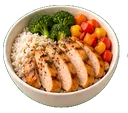
A plated meal is easiest to photograph: GemFit returns an estimate of the foods, portions and macros for you to edit. A packaged food is easiest to scan, and the barcode lookup runs against Open Food Facts, with USDA data or official restaurant nutrition for supported lookups. A meal you can name is easiest to describe in a sentence on Pro, or to find with a USDA search.
Manual entry is there for the times you know the numbers, and serving presets shorten repeat portions. Every route ends at the same place: an entry you can read and edit before it is saved.
- Meal photo to an editable estimate
- Barcode lookup through Open Food Facts, with USDA or official restaurant data where supported
- Text descriptions on Pro, USDA search and manual entry
- Serving presets for repeat portions
AI estimates, your review
The AI's job is the first draft. From a photo it names the foods it can see and estimates the portions. From a text description on Pro it fills in the entry. On Pro it can also enrich a food entry with vitamins, minerals, and allergen and diet flags.
Photos cannot reveal every ingredient or portion, and AI output is an estimate rather than a verified measurement. Each saved entry carries a label, official source, web-verified, AI estimate, or unresolved, so you always know which kind of number you are looking at.
- Editable foods, portions and macros on every estimate
- Micronutrient enrichment on Pro
- Four labels that stay on the entry after saving



Water, supplements and notes
Water logs against the target you set. Supplements and custom items can be tracked with an optional nutrition impact, so a protein shake can count toward the day while a fish oil capsule is recorded without changing your macros. If your stack is the same most days, repeat yesterday's stack in one step.
Private journal entries sit in the same log for the context that numbers miss: how you slept, why dinner was late, what you want to try tomorrow. They stay private.
Food next to training
Meals and workouts are logged in the same app and summarized together in the Progress tab, which shows workouts, average intake and a weight summary for the period you pick. If you follow a plan, the day's meals and workouts can be logged directly from the plan day.
On Pro, Coach can answer questions that cross the two, such as how your intake looked on the days you trained, using only the logs you saved. Anything it proposes in return arrives as a draft you approve.
Common questions
Does GemFit have a barcode scanner?
Yes. Scan a packaged food and GemFit looks it up in Open Food Facts. Supported lookups may use USDA data or official restaurant nutrition. Confirm the product and serving before saving.
Can I search a food database instead of taking a photo?
Yes. You can search the USDA database or enter a meal manually on every tier, and use serving presets for portions you log often.
Is meal photo logging accurate?
A photo estimate is labeled as an AI estimate and should be reviewed. Photos cannot reveal every ingredient or portion, so adjust the foods and serving size before saving.
Does text logging work on the free tier?
Describing a meal in text and receiving an editable draft is a Pro feature. Photo analysis, barcode lookup, USDA search and manual entry are free.
Does GemFit track water and supplements?
Yes. Water logs against the target you set. Supplements and custom items can be tracked with an optional nutrition impact, and you can repeat yesterday's stack in one step.
Log one real day, then decide.
Food, training and body measurements in one private log. Coach and drafts are there when you want them, and nothing is saved until you approve it.
Free to download. Optional Pro subscription.


GemFit.aiFood, macro and workout logiPhone · Free download

On a computer? Point your iPhone camera here to open the App Store listing.